 FocusWShell
One app in focus. The rest at hand.
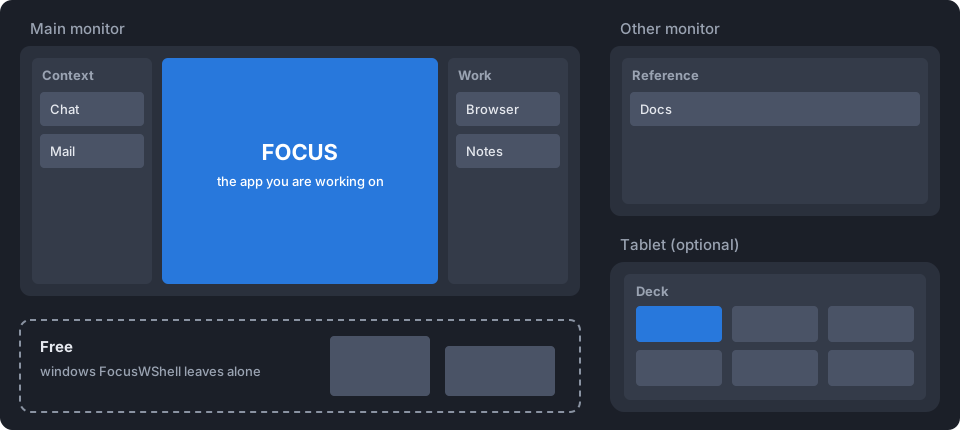
FocusWShell is a visual attention manager for Windows. It keeps the app you are working on in a large, protected area of your main screen, puts the rest in panels around it and on your other monitors, and gives you a deck on your tablet to move between them without hunting for windows.
Focus first
A window only changes place when you decide. A chat message or a notification never takes over the focus.
Fits your monitors
Panel columns on both sides of an ultrawide, one beside the focus on a regular screen, or focus only when the panels live on other monitors.
Set up in one window
A main window in the style of Windows 11: a map of your monitors, your panels, your windows and your shortcuts, in light or dark.
A deck for your hands
On a tablet, a touch screen or a corner of your screen. It never steals the keyboard from the app you are working on.
Browser pages
Every Chrome and Edge tab in one place, grouped by site. Tap to bring one to the front, or close it.
Always reversible
Exit, the emergency shortcut or reopening after a crash puts every window back where it was.
Private
No account, no network connections, no telemetry. Everything stays on your PC.
The idea
With many windows open, the one you are working on competes with chat, mail, dashboards and a dozen browser tabs. Tiling managers arrange windows as rectangles; FocusWShell arranges them by the role they play in your attention:
- Focus: the task you are doing.
- Panels: what you keep at hand, around the focus and on your other monitors.
- Free: what you do not want organized stays where it is.
It is a different way to use your PC, and it takes a few days to get used to. How it works explains it in one picture.
Start here
- Install it: download, extract, double-click. Two minutes.
- Getting started: set it up step by step, from the main window. Ten minutes.
- Step-by-step guides: other monitors, a tablet as the deck, scenes, shortcuts.
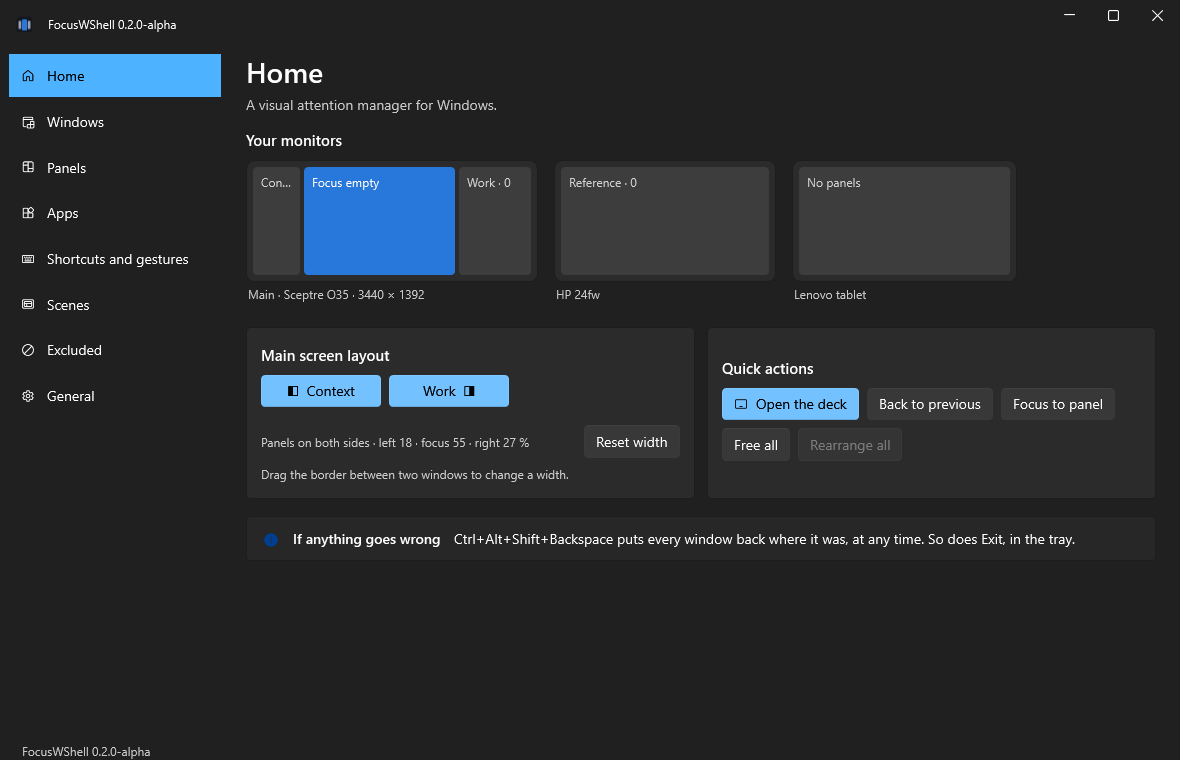
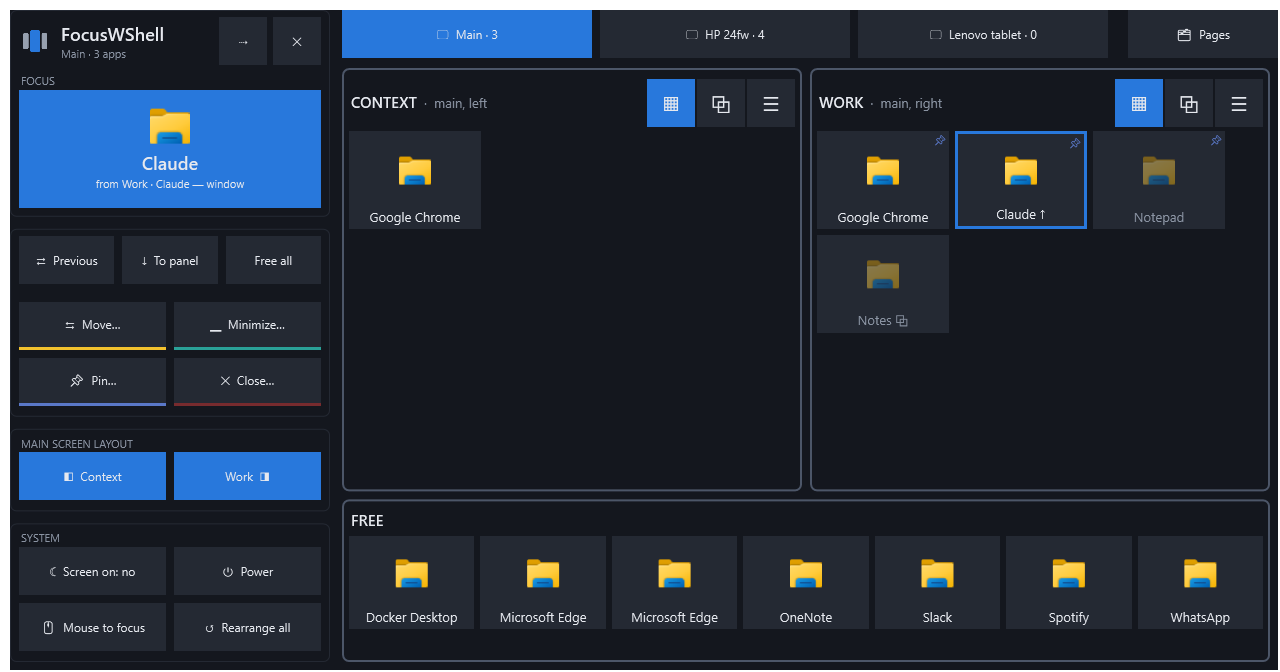
This is an alpha. It is being tested by a few people. It moves your windows: if anything goes wrong, Ctrl+Alt+Shift+Backspace puts every window back where it was, at any time.